New Year, New Version!?!

•December 27, 2010 • 4 Comments


Now that the books are closed on 2010, we now finally have an opportunity to reflect on our EPM/Hyperrion Strategy for 2011.

But, what version should you upgrade to? It’s confusing….. 11.1.1.3?  11.1.2?  Wait for 11.1.2.1?

Here is some information to help you make that decision, from the I.T. Side…

There are many factors in choosing a version from an IT perspective.  I break down each release and discuss considerations on supported upgrade paths, 32-bit/64-bit, operating system support, supported client side software, and other technical considerations.  For this article, I will focus on Windows, perhaps later I will write up something focused on Unix/Linux.

Version 11.1.1.3

Upgrade Path

While most products on this version can be installed on a 64-bit operating system, don’t be fooled…MOST of the binaries in this release are 32-bit applications.

Products like HFM, EPMA, and Essbase are 64-bit applications, however  most of the other applications in this release are native 32-bit binaries such as Data Relationship Management, EPM Workspace Services, FDM, Financial Reporting Services, Interactive Reporting Services, Shared Services (embedded Native Directory OpenLDAP service), Smart Search, and Strategic Finance.

So while you may feel better about getting things installed on a 64-bit platform, you are not really taking advantage of the overall 64-bit performance.

There are also some issues when attempting to co-locate 32-bit and 64-bit applications together on the same machine. For example, it is a common configuration to co-locate HFM and FDM on the same server, however that will cause problems on the same 64-bit machine as HFM is 64-bit and FDM is 32-bit.

Co locating Strat FI, or FDM on the same server as HFM-64 or EPMA-64 is not supported.

In many cases because of these limitations, some machines in my 11.1.1.3 designs end up being 32-bit operating systems as we have more flexibility on product placement.  Careful consideration should be made here.

Operating Systems

Windows 2003 SP1 and SP2, 32-bit or 64-bit are supported.  Note that Windows 2008 is not supported at all.  Remember with Windows 2003, if you have more that 4 GB of memory you must install the Enterprise edition of the operating system in order for the Operating System to use it.

Client Side Software

Internet Explorer 6, 7 and Firefox 2.0.x (Except DRM, FDM, and IR)

Office 2002 (XP), 2003, 2007

Java JRE Plugin (For Web Analysis and Performance Scorecard): 1.5.0_17+

Other Considerations

11.1.1.3 is certainly more widely adopted, as it has been out longer.  There are a lot of patches that have been released and it is quite stable.  Since it does have a fully supported upgrade path, you may consider upgrading to this release.

However, please know that for your next hop to 11.1.2.x, you will not want to upgrade-in-place, as the underlying architecture for 11.1.2.x is dramatically different. So your next upgrade will be a full fresh install of 11.1.2.x on fresh hardware, and you will need to migrate applications from 11.1.1.3.

See my article on the architectural differences in 11.1.2

Version 11.1.2

Upgrade Path


As I have stated before, 11.1.2 is intended for a new installation/adoption only.  Reading the literature, you will see that Oracle does not have a supported upgrade mechanism.  Let me explain what that means…

That means you will not be able to upgrade-in-place from any older version to 11.1.2.  But how does that effect “migrating” objects from an older version to 11.1.2 via export/import?

11.1.2 does not come with any upgrading wizards.  For example, historically, when upgrading a Planning application we would copy the relational repository associated with it to an application in the newer version.  Then, when we logged into Planning, it would notice that the version is older and offer to happily upgrade it for you.  This functionality is an example of what is missing in 11.1.2.  Likewise the upgrade wizard for HFM is not included in 11.1.2.

However most objects can be exported and imported.  All Essbase objects, security, reporting objects, etc. can be moved to 11.1.2.

We have “upgraded” many customers to 11.1.2, simply by moving what we can, and rebuilding what we need to.  For Planning, we simply need to recreate the planning application and dimensionality.  So for those shops that only have 1 or 2 planning applications, this is not that big of a deal in most cases, as we can do some creative things such as using ODI to extract the dimensionality and rebuild it in the new version.

Operating Systems

11.1.2 is the first version to support Windows Server 2008 R1, both 64-bit and 32-bit.  What is even more exciting is that most all the products are now true 64-bit binary applications, with the exception of FDM, Financial Reporting Print Server, Interactive Reporting Services, and Strategic Finance. Regardless, all products now will run on Windows Server 2008 64-bit without restriction. Note that Windows Server 2008 R2 has a lot of issues and is not supported.

Windows Server 2003 64 bit is also still supported, but you have still have to use the 32-bit binaries for a lot of the products and still have the same co-location problems you had with 11.1.1.3.

Client Side Software

Internet Explorer 7.x, 8.x and Firefox 3.5.x (Except FDM, and IR)

Office 2003, 2007 SP2

Java JRE Plugin (For Web Analysis and Performance Scorecard): 1.6.0_14+

Other Considerations

No more OpenLDAP, Essbase Clustering, Weblogic embedded, SSL offloading, new directory structure.

Version 11.1.2.1

Upgrade Path

11.1.2.1 is reported to include an official upgrade path and backwards compatibility from  9.2.1,  9.3.3, 11.1.1.3, and 11.1.2.  This means that Planning and HFM applications, etc. will be able to be migrated from one of these versions to 11.1.2.1 and a wizard will be able to upgrade them for you.  This may not mean that you will be able to upgrade-in-place.

To be honest, even if it is supported and possible, I would not consider upgrading in-place to 11.1.2.1 from any version lower than 11.1.2 because of the massive infrastructure changes to this product that started in 11.1.2.

As for new functionality, most of it is rumored to be around the Planning module.  There are enhancements in approvals, form designer, end user web forms, etc.  There should also be some new ways to export Planning meta-info to CSV and perform lights-out pushing to ASO.  I do not believe there are many, if any, enhancements to Essbase, HFM, or FDM other than the upgrade path.

Operating Systems

11.1.2.1 is the first version to support Windows 2008 R2

Client Side Software

Besides the supported software for 11.1.2, 11.1.2.1 should also include support Office 2010, but 32-bit only.  64-bit Office support will be at a later release.

In Summary

If you are in a lower version and looking to upgrade, I would strongly consider 11.1.2 version now.  Many organizations are now standardizing on Windows 2008 and IE 8, which makes the move to 11.1.2 quite compelling.

For those customers on older versions, I’m sure you are aware that you may be required to take an intermediate step upgrade before going to 11.1.1.3.  However, why not consider  directly to 11.1.2?  In many cases, we have seen shorter upgrade times by simply rebuilding things directly in 11.1.2, and skipping the need for the intermediate step.  As a matter of fact, even if 11.1.2.1 was out today, we may consider rebuilding things anyway.  So you may be waiting for 11.1.2.1 for upgrade tools you may never even use.

Depending on your complexity, considering 11.1.2 now could be fruitful.  The new features, functionality, plus the support for more modern 64-bit operating systems, and 3rd party software make the move to 11.1.2 now great consideration for Q1.

Are you seriously waiting on Oracle to release 11.1.2.1?  We have heard them say September, then October, then December…now they are saying February or March.  Forget it!  In most cases, you can get to 11.1.2 now and enjoy all the features and functionality now.

Regardless, weather you wait or not, now is the time for IT design.  We need to design a hardware environment now that enables the delivered performance and availability you need going into 2011 and 2012.  We must take into consideration performance, load, high availability/clustering, backup and recovery, disk space and SANs, helpdesk integration, training schedules, desktop software roll-outs, disaster recovery, etc.  Now is the time for strategic IT planning and design, regardless on your targeted version.

Shoot me an email to schedule a design session to create the right design for your needs so you can get your hardware ordered and underway.  You never know, 11.1.2.1 may be released and out by the time you have received, racked, stacked, and prepare the servers.  Either way, stop waiting on Oracle!


Eric’s 11.1.2 common questions

•November 7, 2010 • 3 Comments

I have said it before and I will say it again.  11.1.2 is the biggest architectural change to the EPM suite I have seen since 9.3.1.  (see my blog article on the IT differences in 11.1.2)

I applaud Oracle for their vision and agree on their go-forward strategy, however these major changes under the covers to the product is what is causing a lot of the challenges for Oracle development getting the 11.1.2.1 release out.   The 11.1.2.1 product will have a the highly anticipated full upgrade path. (However many of our clients have still upgraded to 11.1.2 – we can migrate most everything!)

the architectural changes have also caused a lot of confusion, not only with customers but even within Oracle support.  Assumptions that we have always had about this product from an IT and troubleshooting perspective can no longer be applied, and actually applying these assumptions can actually do very horrible things to it.

I have compiled a few common questions that come up with this latest version.  While this is not a complete list by any stretch it does help demonstrate that now, more than ever –whether you are doing a new implementation or an upgrade, whether you are going with 11.1.2 now or waiting for 11.1.2.1, it is imperative to engage a certified Oracle partner with proven experience with “The IT Side” of this enterprise application.   Going it alone without leveraging the experiences of others is a risky proposition to say the least.

What happened to the Essbase windows service?

With 11.1.2 there is no delivered windows service to start Essbase.  So what the heck is going on? …. It is OPMN.

The version of 11.1.2 is an obvious attempt by Oracle to not only remove all references of the word “Hyperion” but it is to integrate it into as many existing Oracle products as possible.  The obvious ones are Oracle WebLogic, Oracle Enterprise Linux, Oracle Cluster Server, Oracle HTTP Server, and OBIEE.  There is also OPMN:  Oracle Process Manager Notification Server.  OPMN is a another separate Oracle Product that has been integrated into the Oracle Fusion Middleware products that allows you to control and monitor services and agents

What’s good:

You can use OPMN to do things like monitor processes and automatically restart them if they go down, and use some failover features to provide high availability services.

What’s not so good:

They only integrated OPMN out of the box with Essbase, so it is totally confusing for those wondering why we have to do things differently for it.

It’s ok, however. You do not need to use it if you do not want to. You can start/stop Essbase using native or OPMN commands.   But from 11.1.2 going forward OPMN will be the strategic method for managing the Essbase service.   They have future plans for this as OPMN will eventually be able to monitor the health of Essbase and take corrective actions.

Do I really have a HTTP WEB SERVER installed on my Essbase Server!?!!?

Yup, you do.  Why?  Because of OPMN.  OPMN requires some of the binaries of the Oracle HTTP Server.  This can cause some concerns and confusion for shops that try to keep the Web, app., and database tiers separate.  The good thing is that while it is required, the actual HTTP server does not have to be running or even configured.  So don’t be surprised if the configuration utility has a big red X next to the web server saying that it has not been configured on the Essbase server.  We did that for a reason.

Where the heck are the logs?

I know this is a big issue.  In 11.1, we finally got Oracle to put the logs in a standard location.  <HperionHome>/logs We did not have to go hunting down enormous file paths to find basic logging information.  Hooray – thanks Oracle!
Whoa, wait…Not so fast.  11.1.2 comes along and changes everything… again.  Here are the locations:


EPM_ORACLE_HOME/diagnostics/logs/:

(installation-time logs)


MIDDLEWARE_HOME/user_projects/epmsystem1/diagnostics/logs/:

(configuration-time logs, service startup logs, and runtime logs for service components)


MIDDLEWARE_HOME/user_projects/domains/EPMSystem/servers/ <serverName>/logs:
(Web application runtime logs)

Where are Business Rules configured and stored?

Business rules have gone through a lot of changes over the years as far as how it is configured.  In previous versions, we had to configure HBR manually using a few config files such as Dao.properties, HUB.properties, HBRServer.properties and ensure we had other files copied and synced if Planning was located on a separate server. In 11.1.1 like most products, the HBR configuration parameters were stored in the EPM system registry – part of Shared Services under the LWA (Logical Web Application) called Business Rules.  Configuration of HBR is now done in Essbase Administration services.

In 11.1.2, the configuration is still  stored in the EPM system registry, and configured in EAS, but now it is stored under the  Essbase Administration Services LWA.

The Support matrix says Windows 2008 is supported. Does that mean r2?

No.  Hyperion products are not certifies on R2 and we have had a lot of issues trying to make it work with certain products such as Financial Reporting and HFM.  I would encourage everyone to stick with 2008 R1 or drop to Windows Server 2003 SP2.

Eric is speaking at OAUG EPM Connection Point, Dallas

•November 7, 2010 • Leave a Comment

The OAUG EPM Connection point is a conference series that brings Hyperion content to local communities.  Instead of the traditionally large “everything-Oracle” week long conferences that are in expensive coastal cities, the EPM connection point conference is designed to deliver quality EPM/Hyperion content to local cities that do not otherwise feel the love.

In today’s economy it can be a challenge for Hyperion professionals to get budgetary approval to travel to attend large conferences.  Entry fees can be thousands and require expensive travel arrangements.  These conferences are also all-things-oracle.  Don’t get me wrong, you can find excellent Hyperion content at these conferences, although some find it difficult to wade through the 3,000 other Oracle products represented.

Many of us long for the Hyperion Solutions days. And now that Oracle has pretty much acquired everyone and taken over the world as we know it, we are now just another Oracle Technology in the large sea that is the Oracle portfolio.

Enter EPM Connection Point.

The upcoming EPM Connection point will be the third in the EPM Connection point series that target cities not normally represented by the bigger conferences such as Orlando, Vegas, San Francisco, DC, and nice coastal beaches of SoCal. The first Connection Point was in Dubai, the second was in Jersey City.  The third one will be in Dallas in a couple weeks.

We can think of the EPM Connection point conferences as a traveling mini Hyperion Solutions road show providing excellent Hyperion content at a price anyone can afford, in only 2 days. And the most compelling thing is that it is only EPM, so everyone in attendance is either using, evaluating, or providing services for EPM…. In essence a regional EPM community forum.

The price to attend is in the hundreds, not thousands, as the price is offset by the vendors that sponsor the event.  So in order to continue the success of this model it is important to stop by booths and interact with the vendors to hear their individual value proposition.

If you live anywhere in the South Central US, I would highly recommend you attend.  For those that were unable to attend Kaleidoscope, Collaborate, Open World, etc… this is a fantastic alternative to get good fast content, network, and socialize with a focused community at a very low price point.

I will be presenting on the second day at 11:00-12:00: The  details are below.


Bracing for Impact – Preparing your IT department for Oracle Hyperion EPM

Abstract:

Oracle Ace Director Eric Helmer gives a complete introduction to the Oracle EPM suite from a technical perspective.  Learn how you can prepare for EPM and understand the impact on your IT department.  Topics include services sizing, Hardware and software considerations, operating systems, helpdesk integration, database administration, and on-going system administration support expectations.

Learn from the mistakes of others as Eric helps you prepare for Oracle EPM.  Learn what you can expect when rolling out a new EPM solution in your IT department.

I invite all my readers to attend the conference and my session.  The conference is November 16th-17th

The Westin Stonebriar
1549 Legacy Dr
Frisco, TX 75034

More details at:

http://connectionpoint.oaug.com/conferencesandeducation/conferences/2010/cpepmnov/

The I.T. Side of Oracle Open World – Recap

•September 24, 2010 • Leave a Comment

Sunday OAUG Hyperion SIG meeting

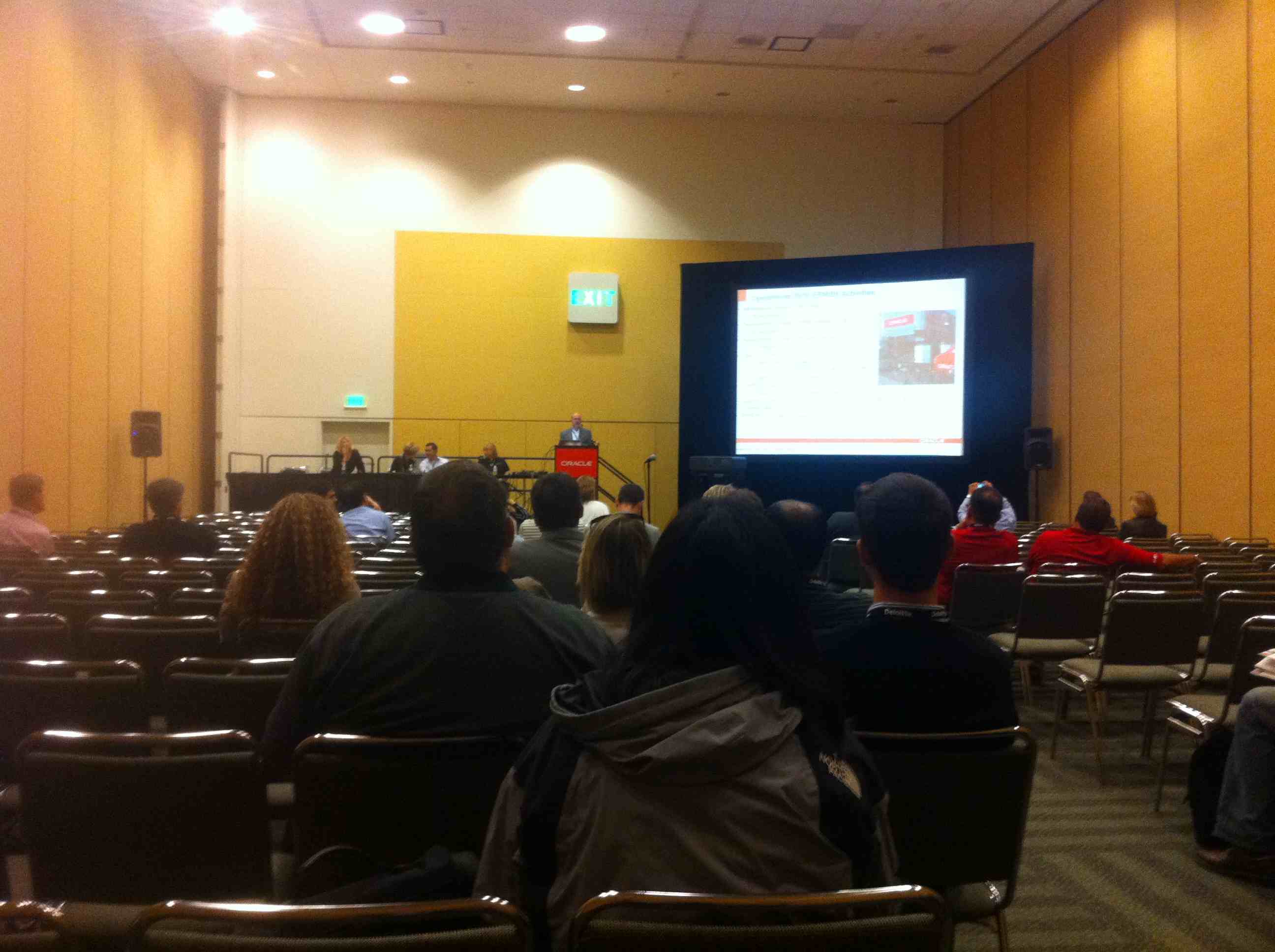
The conference for me started with the normal OAUG Hyperion SIG meeting, which I was very late to as a result of a delayed flight and horrible traffic. There were a fair amount of people there, however I was hoping for better attendance.  At the SIG meetings, each of the SIG domain leads give an “update” on their respective disciplines. John O’Rourke gave a brief EPM road map update.

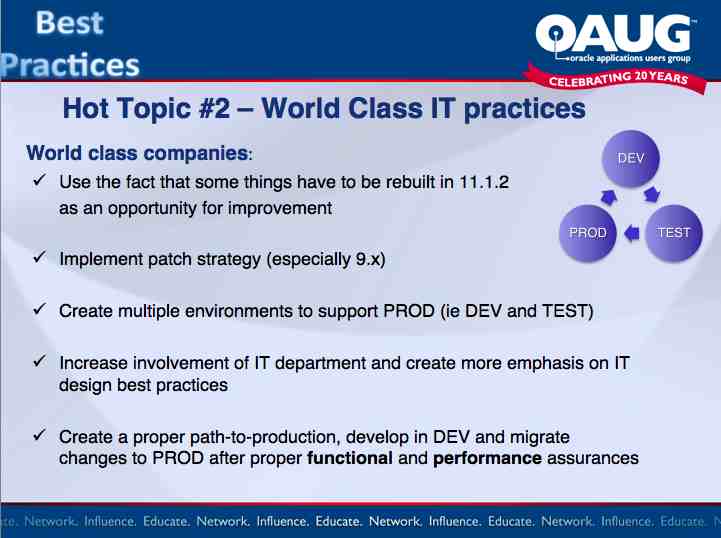
As the Infrastructure domain lead, I gave an update on some of the new hot topics and trends in EPM IT and a quick what’s new on version 11.1.2 from an IT perspective.

Oracle ACE Dinner Cruise

Leave it to Lillian Buziak and Vikki Lira to put on a fantastic event for Oracle ACE’s and ACE Director’s.  This year it was a fantastic Dinner cruise around Bay with fantastic views of the San Francisco skyline.  Those in attendance I chatted with were fellow ACE’s Edward Roeske, Tim Tow, Glenn Schwartzberg, and Mark Rittman.

I did not get a chance to attend the Keynote talk by Larry Ellison, however it was a huge topic of conversation though the week.  People were commenting how disappointed they were in the keynote.  Apparently Larry seems a bit out-of-it, stumbled through some of his material/slides, and seemed to somewhat phone it in.  I guess he also bashed Salesforce.com pretty good and declared war on IBM.  Also, people felt a bit violated about having to sit though the corporate sponsor commercials – which I can related to after going to the Mark Hurd Keynote talk on Monday morning and sitting thorough the horribly dry infomercial by Fujitsu.

Monday – Mark Hurd Keynote

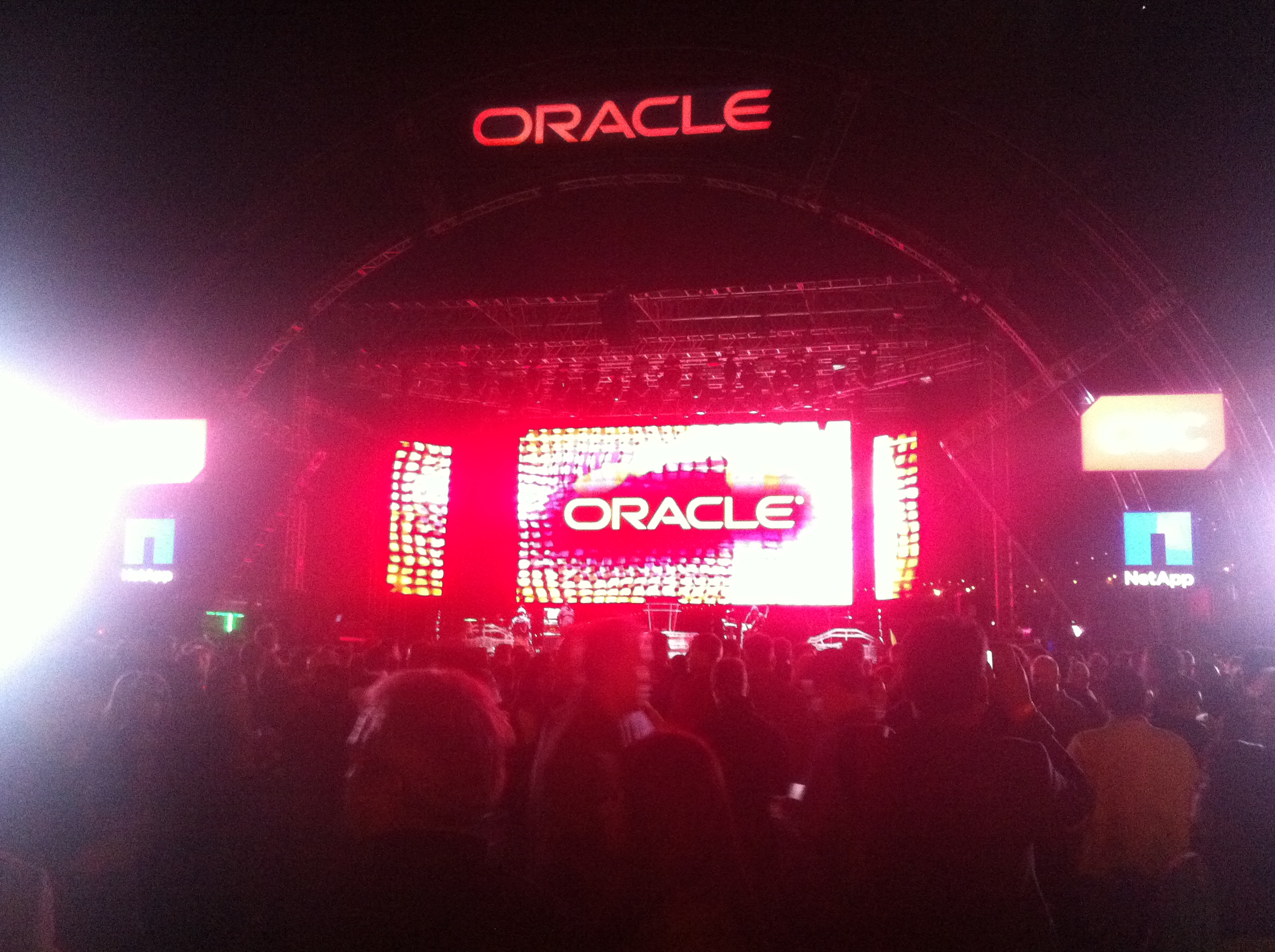
Outside of the corporate commercials, I love going to the keynote talks at OOW.  The keynote hall is amazing.  They lighting and production just in the stage area makes you feel like you are in a rock concert and really makes you feel like you are witnessing something amazingly special.

I have to say, I was really impressed with Mark Hurd. Although I really wanted him to say SOMETHING about the obvious uncomfortable situation about his recent departure from HP…. Giving a major keynote speech just 2 weeks on the job. But he said nothing… I would assume it is because of the lawsuit. But it was the giant elephant in the room for sure.

Mark did what you would expect – commented on Oracle new initiative of the Elastic cloud, Oracle Unbreakable Linux, Fusion Applications, Exadata, etc.  The common theme is that now that Oracle is full in the hardware business Oracle is engineering their hardware and software solutions together, so they are optimized to work together faster than mixing two unrelated hardware/software products.

Throughout the keynote, a few other people came up to discuss vision and strategy.

They made very clear that Oracle is dedicated to being compatible with almost any other platform as well, including Red Hat Linux.  However, of course, they recommend using Oracle Hardware running Oracle Software for the best performance, as they are engineered together. Not only is hardware and software designed together to perform at their best, but high availability, clustering, dynamic resource allocation, and storage are all embedded in development and co-engineered.

The best line I heard at this keynote was “you are free to run Oracle products on any hardware and we are committed to that, however we will not be apologetic for making the products work better on Oracle platforms.”

( I think that pretty much sums up Oracle’s strategy and motivation.)

They also made clear that Oracle is still very dedicated to Solaris and will be integrating Solaris with Oracle solutions such as using OEM for administration, Oracle Virtual environments, and Oracle Secure Backup.  They are also very happy to have inherited the ZFS file system, as you can imagine.  The new Solaris 11 promises to eliminate 50% of restarts by having more a dynamically configurable kernel, a faster boot, integrated virtualization, integrated encryption, and better fault management.  The goal is to trap and fix faults before it reaches the application.

Now they have everything… the hardware, virtual servers, storage virtualization (ASM), and even desktop virtualization (SunRay)… all with the idea of having one centralized place to manage it all using OEM.  Pretty cool.

Of course there was a lot of attention on the Exadata and Exalogic.  The new X2-8 is mind blowing….   2 64-core built in Intel servers for a total of 128 cores.  14 on-board storage servers, 2 Terabytes of memory, claiming 1 million I/O per second.

And check this out: you can CHOOSE either Solaris or Oracle Unbreakable Linux.

We can see that Oracle does not think of storage traditionally, they thing of it as an entire computer system so that logic can be placed on the storage device to reduce the amount of data sent back to the host for processing.

The keynote entrance was awesome – it was a total high-tech flashy Exadata meets Iron Man display.  Oracle has catapulted the Exadata branding with the Iron Man movie.  As a matter of fact, Larry Ellison actually has a small cameo in the movie.

Out in the Lobby, of course Larry had to display all his America’s cup stuff, including the cup itself which was surrounded by some pretty stout security.

The Exhibit halls were crazy  If you have never been to OOW – there are an overwhelming amount of booths. There are THREE exhibit halls!  Each booth doing what they can do to lure you in with giveaways so that they can tell you about their company and offerings.

The problem though is that Oracle has over 3,000 different products so trying to find a company that directly related to what you are exactly looking for is difficult, just as it is for vendors to find targeted customers.   Regardless, a walk around any of these halls will get you a plethora of pens, balls, Frisbees, jump drives, T-shirts, water bottles, etc.  Some go as far as hiring model girls and celebrities.  Even Commander Data was there at one booth!

Don’t you love the slogan on the sign behind him… “We know Data.”  Hehe makes me giggle.

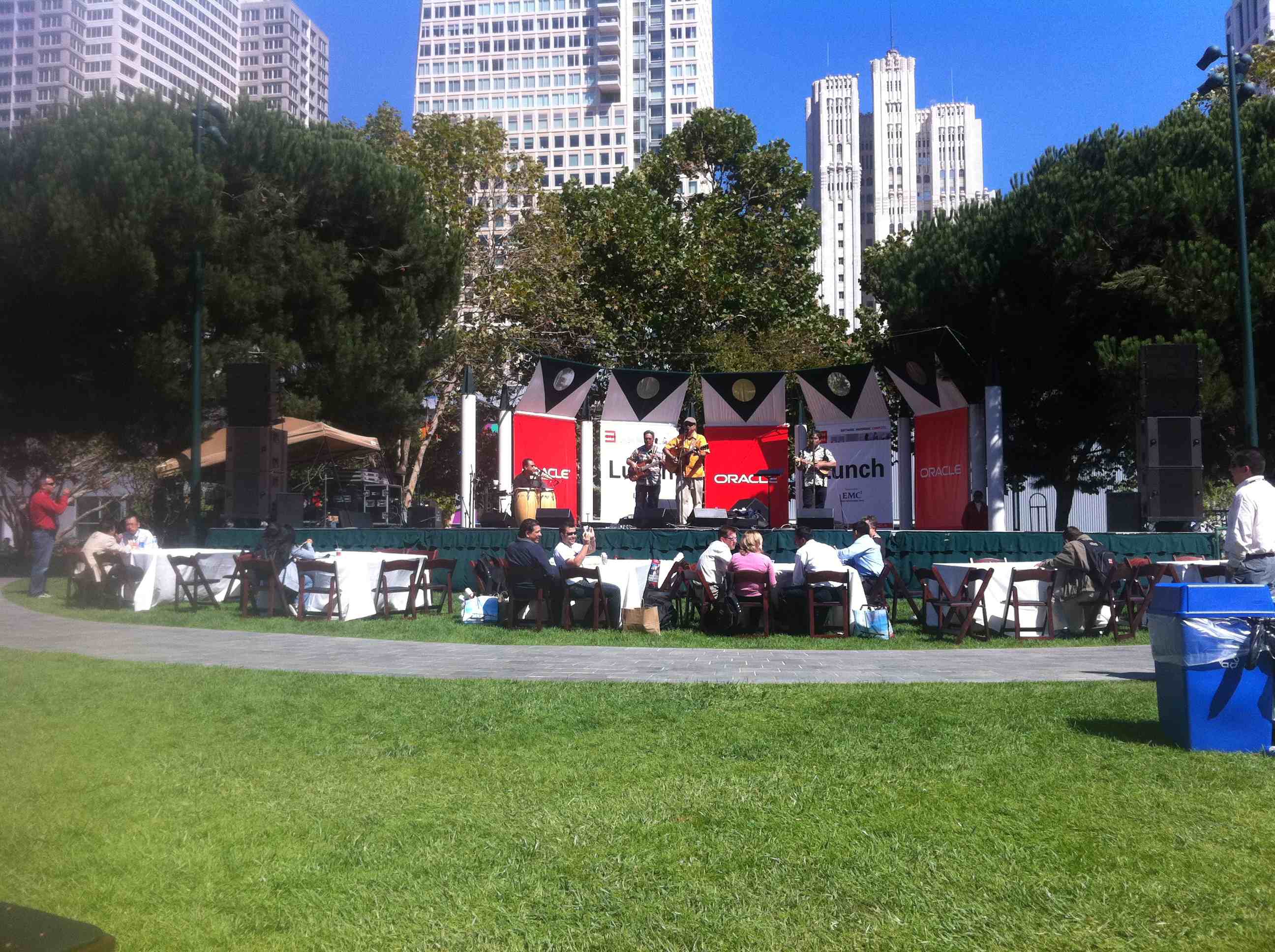
The rest of the conference grounds were what you would expect.  Fantastic organization and great surprises at every turn.   The weather was great for us as well, which made the out door garden a perfect place to eat lunch while listening to a live band.

Monday night was an invite-only OTN party night which was great.  As an Oracle ACE Director, I was given a few passes. On stage they hosted a game show full of geeky questions and the obligatory annoying but funny host.  Even Olympic skater Apolo Ohno stopped by.

The EPM/CRM Partner Event

The EPM/CRM Partner event was at the Palace Hotel.  A really nice traditional setting.   Full open bar, great appetizers.  I was able to catch up with some friends there from other partners, Oracle Sales Channel reps, and some folks from my ex employer, Hackett.


The OAUG Party

Of course the OAUG had to throw a fantastic reception as well. This year they picked the Weinstein Gallery who features works of art by Picasso, Dali, Chagall, Matisse, Ford, and Fini.  What a great idea and location – great job to the OAUG Board!  During the event the OAUG handed out their “ambassador” awards.  The award goes to Oracle employees that help the OAUG, without them we could not make many of the user group functions a reality.  A well deserved Ambassador award went to my friend John O’Rourke who has always helped the OAUG by speaking at our events and helping the user community understand Oracle’s EPM roadmap strategy.

Congrats John!


The Oracle Customer Appreciation event.

As always the main customer appreciation event was absolutely amazing.  This year it had a killer line up including Don Henley, Black Eyed Peas, and Steve Miller Band.

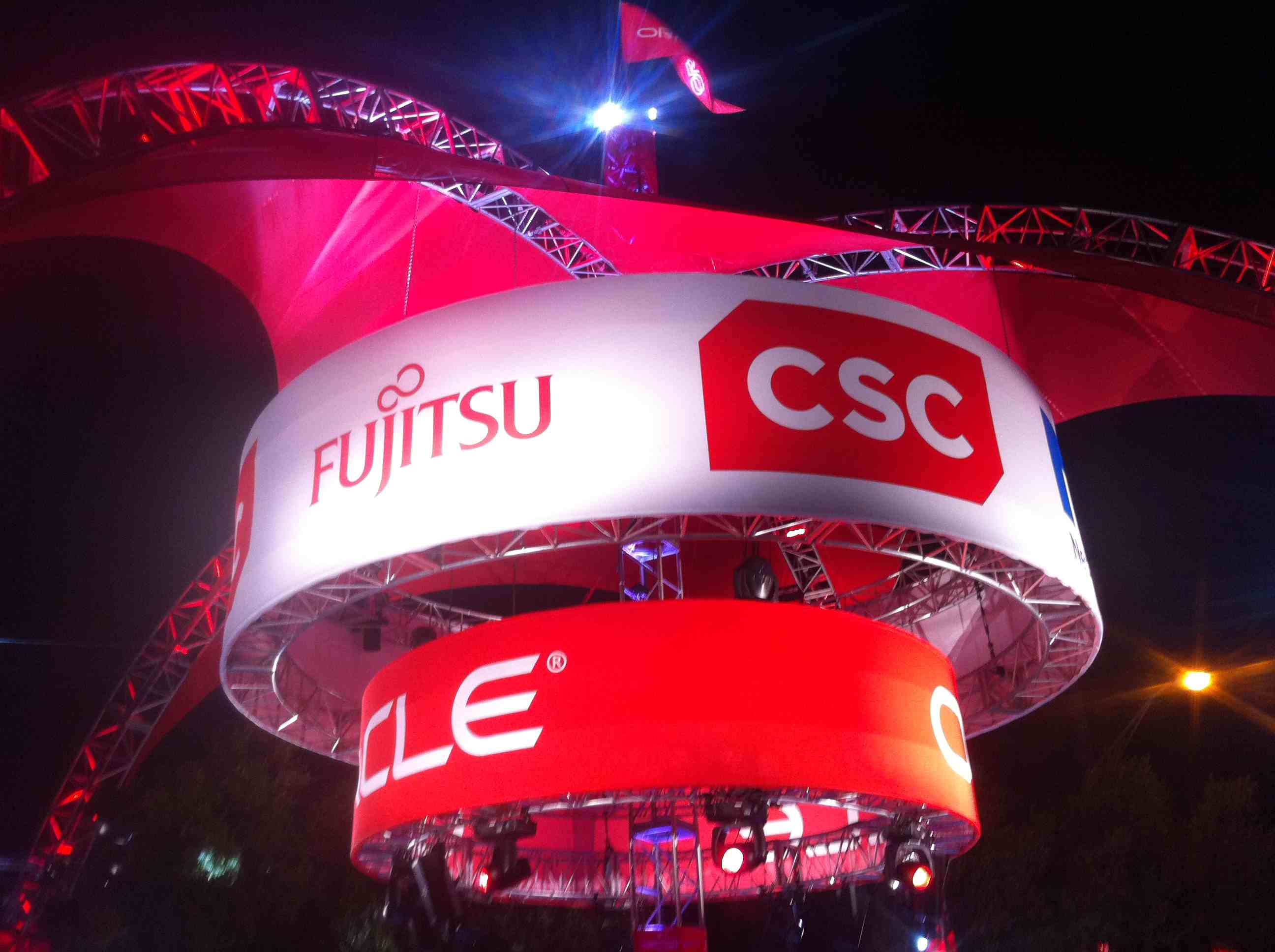
The surroundings are fantastic – with amazing lighting and Oracle  signage.

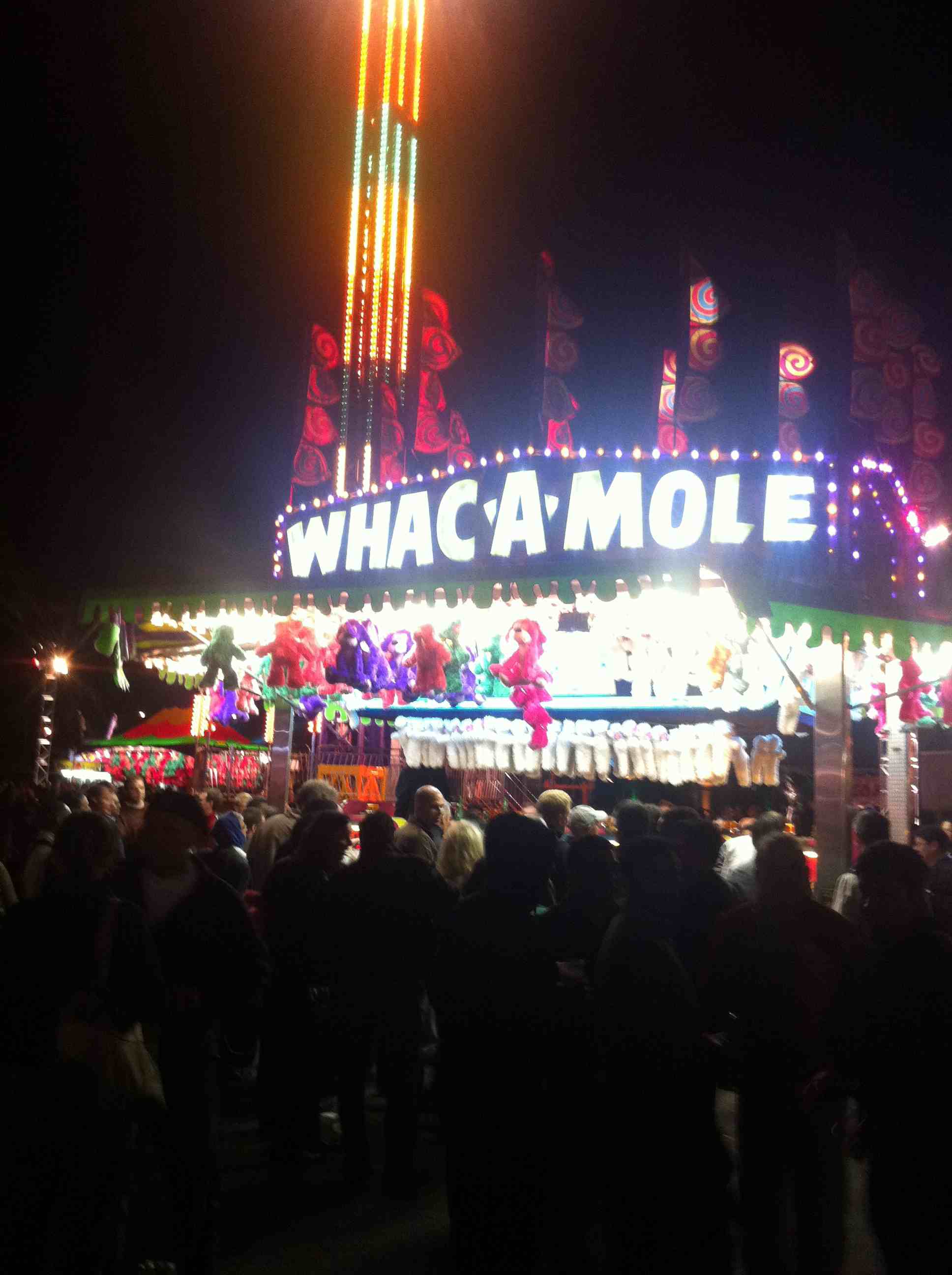
Outside the stage area was a carnival theme complete with rides, skill games, and fair food like cotton candy.  Of course the free beer/wine tent was popular and well organized – you never had to wait for a drink!

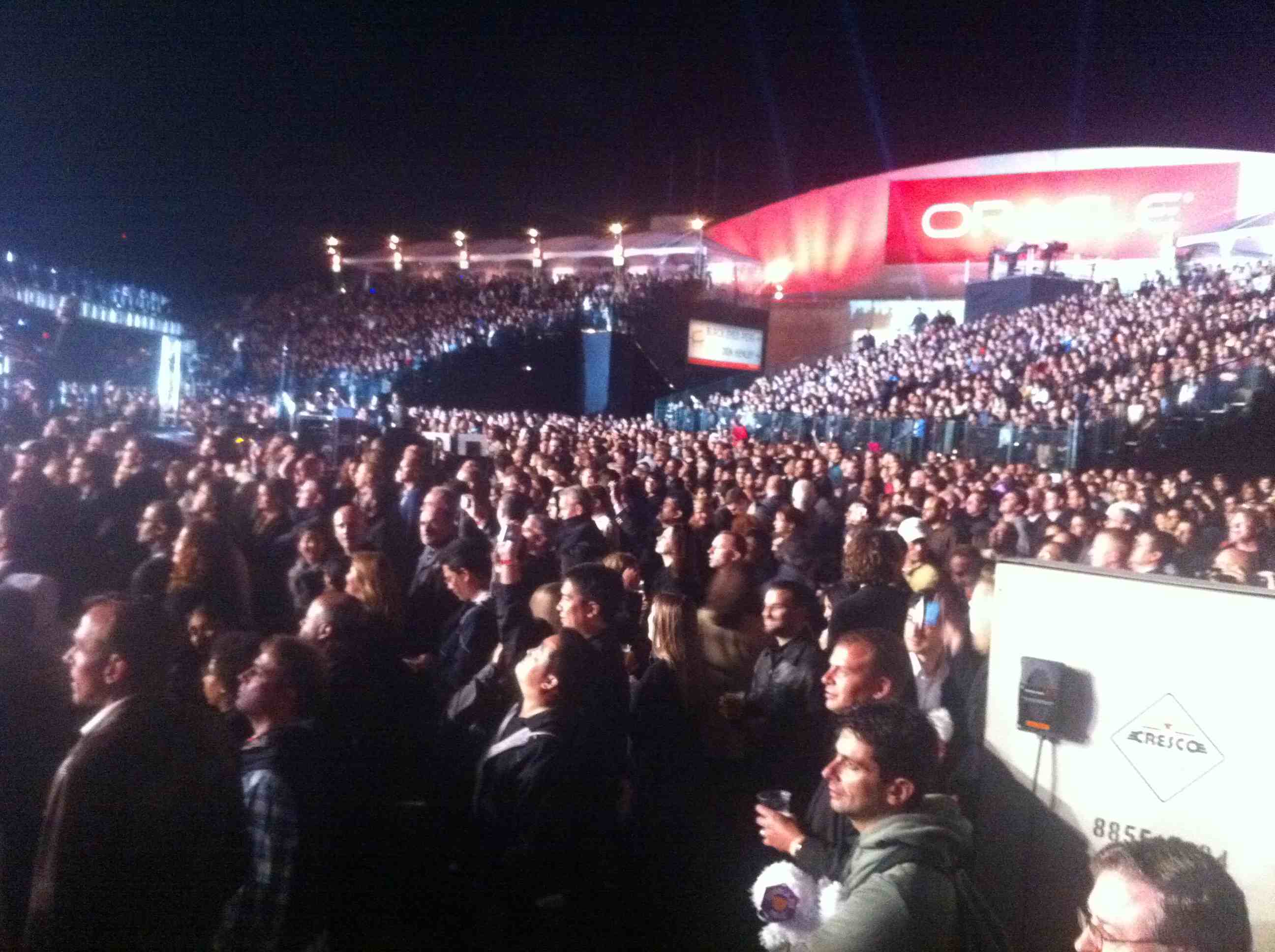
The outdoor stage was amazing, sparing no expense.  Complete with HUGE TVs, HD boom cameras over the crowd, fantastic lighting, great graphics, spotlights, and effects.  Oracle sure knows how to do it.  The black Eyed Peas put on a fantastic show. Fergie looked amazing, I have to say.  The Steve Miller Band was great too.  I have to say what impressed me the most was the sound.  For an outdoor venue, it was excellent.

The worst thing about the concert by far was the bathrooms.  Horrible placement, ridiculous lines!  I really hope they do better about that next year.

Summary

I have just a couple of complaints about the conference.  The first one is the horrible infomercials we have to endure at keynotes.  It really upset a lot of people and we all felt a bit violated.  That has to be better next yer.

The next one is the “Unconfernece” I love the idea of the UnConfernece.  In previous years the unconfernce session were held in small rooms on the second floor of Mascone West – so it was close for everyone and people could see the whiteboard that listed all the sessions.

This year it was 5 blocks away at the Parc 55 hotel.  On the 4th floor.  Ridiculous.  Nobody knew about the sessions and nobody saw the board with the sessions. As a matter of fact there were many slots not even taken.  I hope the OOW people doe something better next year – it’s a great idea that does not deserve to be hidden, but promoted.

All in all the conference was great.  The next one, Oracle Open World 2011 will be held in the same place Oct 2-6th.  However I was hearing rumors that they may start considering a different venue.  It is obvious that his conference has reached the capacity of San Francisco and adding Java One significantly increased attendance.  Hotels are impossible to find…. Some people either paying $800/night or forced to say out as far as Oakland.  As this attendance starts rounding 50,000 people, it seems that Vegas may be a more appropriate location to accommodate everyone.

We will see.

Eric’ Speaking at Oracle Open World!

•September 15, 2010 • Leave a Comment

Below are events where I will be speaking:

Sunday – Sept. 19th

4pm
Moscone West Room 3002 – Hyperion SIG 2010 EPM Infrastructure Update

Tuesday – Sept 21st

2pm
Hotel Parc 55, Lombard: Demystifying Oracle EPM Life Cycle Management in 11.1.2

Wednesday – Sept 22th

10am
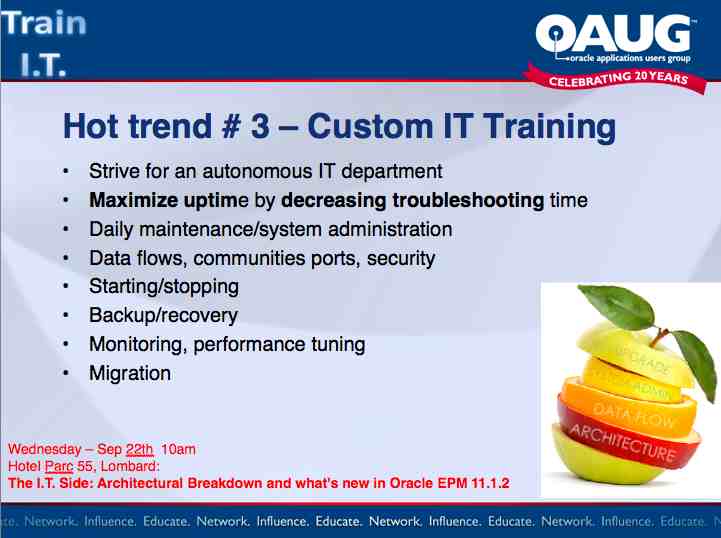
Hotel Parc 55, Lombard: The I.T. Side: Architectural Breakdown and what’s new in Oracle EPM 11.1.2


Also don’t forget the OAUG Hyperion SIG User Group meeting Sunday from 4-5 at Moscone West Room 3002.  Come meet your peers in the Hyperion community and share your ideas/issues with the experts!

The I.T. Side: EPM 11.1.2 Infrastructure Update

•April 28, 2010 • Leave a Comment

Let’s face it, there are many great new functional enhancements in 11.1.2 which were all the buzz at last week’s Collaborate conference in Las Vegas!  There are significant enhancements to Planning, reporting, and Smartview.  There is better integration with ERP/OBIEE, etc and now you can even spin off Essbase cubes from HFM live or on demand.  Cool stuff, however, as I focus on The I.T. Side, I wanted to bring your attention to the significant IT/Infrastructure changes in the new EPM 11.1.2 Suite. Enjoy…

1.)  New install only.

This version is designed for a new installation only and there is no out-of-the box migration path from previous versions.  It is also not officially compatible with any previous version.  The next version will have a migration path from previous versions.

2.)  Weblogic Only

This version will only use Weblogic.  As a matter of fact, it comes bundled in.  Weblogic has officially replaced Tomcat as the bundled J2EE app server.  The next version is supposed to include support for the other J2EE App Servers, however it looks like Oracle wants to standardize on Weblogic, surprise surprise.

3.)  Oracle HTTP server has replaced Apache.

No surprise here

4.)  Additional support

  1. Windows server 2008
  2. Internet Explorer 7 and 8
  3. Firefox 3.5 (except FDM)

5.)  Better 64-bit support

However there are still some 32-bit binaries floating around such as:

  1. FDM
  2. FR Print Server
  3. Strategic  Finance

6.)  New SSL Support

  1. Full SSL Deployment (including data access)
  2. SSL Terminating at the Web Server
  3. SSL Accelerators (off-loading)
  4. Two-way SSL

This has been something we have been waiting for.  Up until now, the only officially supported method was to do SSL through the entire enterprise, which caused significant performance issues.  Now, we can offload SSL to just the web server.

7.)  Admin user password

EPM System Configurator now requires the Shared Services “admin” password to be changed during system configuration. Once deployed, subsequent password changes are done through Shared Services.

8.)  Install/Config

Finally we have real client installers.  We don’t have to download handfuls of assemblies  just to install the clients. ‘Bout time…

1.    Smart View for Office
2.    Essbase Excel
3.    Disclosure Management

9.)  Timeout values set in the EPM Configurator

There are options to set web timeouts in the EPM system configurator, such as the HFM Web Session timeout.

10.) New Directory Structure.

This is an obvious attempt to start eliminating the word “Hyperion” throughout the product.

  1. MIDDLEWARE_HOME (ie: C:/Oracle/Middleware)
    1. Weblogic
    2. EPM Common Home
  2. EPM_ORACLE_HOME (ie C:/Oracle/Middleware/EPMSystem11R1)
    1. Application specific binaries
    2. Uses an environment variable (EPM_ORACLE_HOME)

11.) Integrated Essbase clustering

Essbase now supports active-passive failover without Oracle Clusterware. You can use EPM System Configurator to configure Essbase in an active-passive failover configuration with write-back capability.  Before, Oracle did not officially support Essbase failure, however we did it all the time.  Finally a fully supported usable high availability strategy for Essbase.

12.) No More Mr. OpenLDAP

Native Security will now be housed in the Shared Services Repository tables, so OpenLDAP will not be used and will not be shipped with the product anymore.  Also, the EPM System no longer installs or supports Oracle Internet Directory (OID) for use as Native Directory, sorry if you adopted that in 11.1.1.3….

13.) WebLogic JVM Consolidation

HSS and Workspace are now deployed by default to the same JVM managed server, consolidating the “Foundation” into one space.

14.) Real Shared Services Load Balancing

Because  #12 and #13 above, we can now do true active-active load balancing of Shared Services

15.)Logging

Oracle Diagnostics Logging (ODL) Integration – Shared Services has adopted Oracle Diagnostic Logging (ODL) as the logging mechanism

1.    managing log files
2.    log file rotation
3.    maximum log file size
4.    maximum log directory size.

16.) Life Cycle Management  enhancements

  1. LCM will now determine the correct order in which to import objects
  2. We can now user LCM for Essbase data and outline!  So now, LCM is not only becoming better for full migrations, but is also becoming a more viable solution for backup/recovery and disaster recovery.

All in all 11.1.1 looks great and is a giant leap forward for Oracle, although the new-install-only will limit early adopters.  However if you are new to EPM, or don’t mind re-building some things from scratch, 11.1.2 is a great place product for your consideration.

Let me know and I’ll be happy to help you figure out which EPM version will fit your organization best and define a clear roadmap to get you there.  Either way, if you are still on version 9 or below…. take notice…it’s time.

Announcing Eric’s 2010 conference tour

•February 8, 2010 • Leave a Comment

——————————————–

Come see my popular conference sessions scheduled so far this year.  If you are a Hyperion/EPM/BI System Administrator or will soon become one, these sessions are a must!!

Shoot me an email if you plan on attending!

——————————————–

January

February

March

April

June

Setting up automated Essbase Migrations in 11.1.1.3 with Life Cycle Management

•January 24, 2010 • 4 Comments

Setting up automated Essbase Migrations in 11.1.1.3 with Life Cycle Management

What is LCM?

One of most attractive features of version 11 is Life Cycle Management.  It is by far the biggest step that Oracle has taken in a true migration utility that has made migrating applications from DEV to TEST to PROD easier than ever before. But it does come with its share of nuances.

LCM actually existed in 9.3, but it was more of a command line tool that was integrated with Workspace, and it did not really offer a good solution to security and provisioning.  LCM is now integrated (and installed) with Shared Services with a much easier to use GUI interface.

What it does

LCM migrates entire applications or individual “artifacts” between environments.  If the environments share a common Shares Services, the migration can go directly from application to application.  However, more commonly, the environments use separate Shared Services, so most migrations are done by exporting and importing to/from the file system.

The exports are stored in $HYPERION_HOME/common/import_export/<user>

Each user has directory here that stores their exported LCM artifacts.  The exports are organized into a logical directory structure.  Some use this structure to ZIP up entire applications and use them for version control and release management.

For Essbase, LCM will copy most everything that is needed for an Essbase Application, including

  • Definitions of all databases within the applications
  • Outlines
  • Substitution Variables
  • Rule Files
  • Calculation Scripts
  • Report Scripts
  • Excel Files
  • Location Aliases
  • Security Filters

It does not do

  • Data
  • Versioning
  • MXL files
  • Triggers
  • Partition definitions,
  • custom defined macros/functions

Prerequisites

  • In addition to product provisioning, users must be provisioned to the LCM Administrator Role.  For Essbase, a user needs Server Access, Calc, and Database Manager privileges.
  • Essbase must be in Shared Services Mode
  • Environments must be same software release version
  • LCM does not create applications, so the target app must exist, with the same name
  • During export, the source applications need to be running, and likewise, on import, the target applications need to be running.
  • When performing a migration, if the source artifacts have an earlier time stamp than the destination artifacts, the artifacts will not get migrated.

Using LCM

Here are the basic steps in migrating environments.  I will go into more detail on each and share ideas on how to automate each.

  1. Create and execute a LCM Export migration definition file
  2. Copy the LCM Migration files to the target machine
  3. Change the hostname locations in the export files
  4. Create and execute a LCM import migration definition file
  5. Move data – if needed

LCM has a command line utility simply called utility.bat.  Migrations are defined in migration definition files, which are XML files that contain all information about a migration (source, destination, artifacts for migrations, export and import options). There will be a migration definition file for the export process and import process.

1.) Create and execute a LCM Export migration definition file

You can certainly create the migration definition file manually, as it is just an XML file… however a much easier way is to use the GUI Shared Services Migration Wizard to do that.

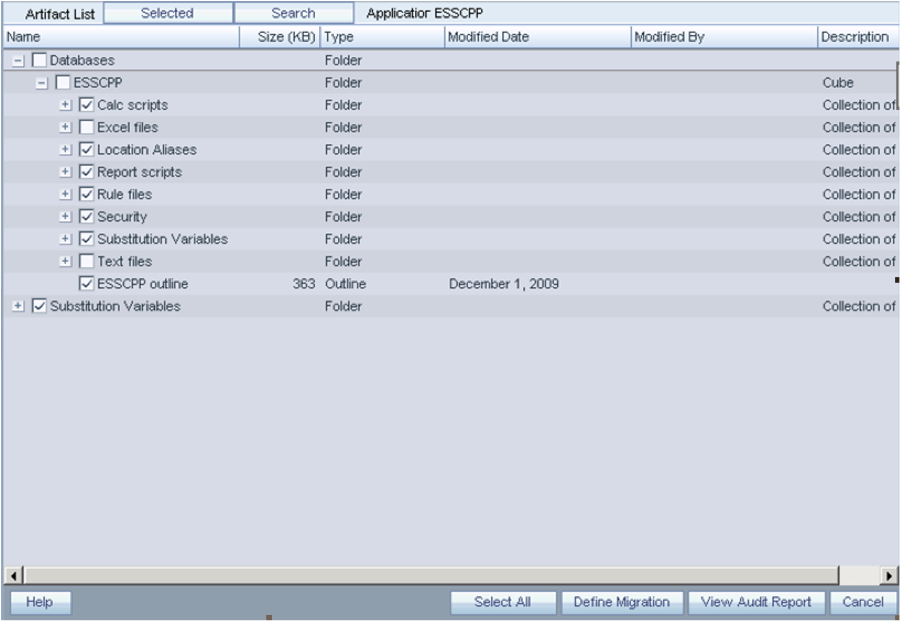
Using the wizard is pretty straightforward.  Within the Shared Services console, you simply check the artifacts/applications that you want to export.

For Essbase, I have found it a bit nicer to exclude Excel Files and Text Files.  Your mileage may very, but the following brings over all the artifacts I normally care about.

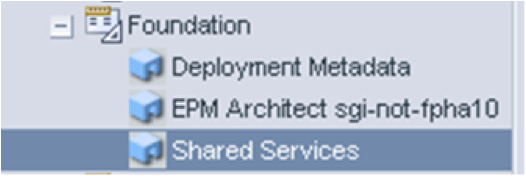
For security, navigate under foundation and choose Shared Services. Check the Essbase server you want to export along with Users, Roles, and Groups.

Once you have selected what you want, click the Define Migration button to start the Migration Wizard.  At the end of the wizard, just before you execute the migration, you have the ability to save the migration definition file.

This migration definition file has everything you need to repeat this exact export at will….you can run this migration export at any time either by launching a migration from the Shared Services Console, or using the LCM command line utility.

Automating

Execute Lifecycle Management Utility by entering the following at the command prompt:

Utility.bat c:/lcm/lcmdefinition.xml

Where c:/lcm/lcmdefinition.xml is the location of the migration definition file.

Additional command line arguments:

  • [-estimate]: Estimates the Number of Artifacts in a Migration
  • [-local]: Migrates to a Local File System Location
  • [-hss url]: Uses the Shared Services URL
  • [-d]: Defers Validation
  • [-f]: Fully Executes Tasks
  • [-b]: Specifies the Base Path

I suggest using the –f flag for best results.

It is important to note that the migration definition file excludes an ID and password by default. So when you run this from the command line, it will prompt for an ID and Password.  To fully automate, just edit the file and put in the ID and Password .  The connection info section in the XML file will have admin=”” and password=””. Just put in the correct values between the quotes.

2.) Copy the LCM Migration files to the target machine

After executing the migration, the exported Artifacts are stored in the import_export directory.  Notice that each user has their own directory structure… here I did my migration as the admin user, and we see my export under that user’s directory.

This directory structure needs to be copied to the target Shared Services machine in the same exact manner.  If the user directory does not exist on the target, you can simply create it using the same name.

Automating

I find the easiest way to copy export files between environments is just using a mounted drive from the target.  It is much easier to script a simple copy from one drive to another than it is to script something like an automated FTP/SFTP.  However, if a mounted drive will not work for you, consider setting up a trusted SFTP relationship with the two servers and using SFTP or scp to transfer files, that way passwords will not be hard coded in scripts.

You can actually set the path where LCM puts the artifacts.  So, the location of the LCM Export files can be changed, say to a shared disk location between source and target by editing the migration.properties file.

Migration Properties File, C:/Hyperion/deployments/AppServNameAndVersion/SharedServices9/config/.

log.directory=../logs
log.config=../conf/log.xml
report.enabled=Y
report.folder_path=../reports
msr.queue.size=200
msr.queue.waittime=60
migration.scheduler.concurrency.count=5
#filesystem.artifact.path=C:/LCM/import_export
double-encoding=true
export.group.count=30
import.group.count=10000

3.) Change the hostname locations in the export files

When exporting some things, like Assigned Roles for Essbase, the .CSV exports can contain hostnames.  These hostnames will have to be changed to the target hostnames.  There are also some files like sourceinfo.xml and listing.xml that should also be changed. Be sure to look though the entire directory structure for files containing hostnames and ensure that all hostnames referring to the SOURCE system are change to the TARGET.

Automating

To Automate this, you will need to use some tool do a global search and replace of files to replace the hostnames.

The following is a list of free search and replace tools for windows:

http://www.thefreecountry.com/programming/searchandreplace.shtml

Unix, you can use sed… (or if you are really geeky, you can install sed for windows)

 sed 's/FINDSTRING/REPLACESTRING/g' $fl.old > $fl

4.)   Create and execute a LCM import migration definition file

So far, we have only exported artifacts and security and made it ready for import.   We need to create another Migration Definition file from the import process, on the target machine.

Use the LCM Migration wizard to create the migration definition file, as you did for the export process.  However, this time, your source will be the Filesystem.  LCM sees the that this user has an artifact directory.

As you go through the import migration wizard, it will ask you which application to make the target.

For Import, there are a couple of different options, as the migration wizard needs to knowhow to handle possible conflicts.

The following list describes the Essbase import options:

  • Overwrite Artifacts—Select to overwrite all artifacts in the destination location
  • Restructure Cube—Choose from the following options:
  • Retain cube data—Retains the data in the cube when restructuring the cube outline
  • Discard cube data—Discards the data in the cube when restructuring the cube outline
  • Keep only input data—Retains only the input data when restructuring the cube outline
  • Keep only 0-level data—Retains only level 0 data when restructuring the cube outline

Finally at the end, you have the option to save the migration definition file, as you did for the import.  This can then be used by the command line utility to automate the import as before.

Logs

There are many logs that LCM outputs.  They are located in HYPERION/common/utilities/LCM/9.5.0.0/logs.

Work is divided into separate streams that produce their own logs.  One export/import process can generate a handful of logs, so be sure to look at the time stamps of these files and look through them all for errors.

5.) Move Data – if needed

LCM is not designed to move data, only the artifacts.  In many cases, people do not want to move Essbase data as part of a migration, as the data in the source and target are complexly different and come from different source systems.

However, if we want to move data, we have to do that ourselves through the traditional method of export/import.  To automate this, we can use a MXL script to export data from the source and import it on the target.  We can also consider just exporting level 0 data and calculating it on the target to save data copy time, depending on the size of the Essbase Cubes.

MXL level 0 Export command:

export database $APP.$DB
level0 data
to data_file `export.txt`;

MXL Import command:

import database $APP.$DB data
 from data_file 'export.txt'
 on error write to ‘export_errors.txt'; 

Putting it all together

Now that you have the process done and tested it is time to put on the finishing touches.  Wrap the utility.bat commands, file copy, search/replace commands in overall batch scripts that can be used as scheduled jobs. Make soure you redirect the output to a place that can be reviewed and logged.

Troubleshooting/Issues

  • For Lifecycle Management Utility migrations, set the Threshold value to DEBUG in the log.xml configuration file. The log.xml file is located in the LCM_HOME/conf directory, for example, HYPERION_HOME/common/utilities/LCM/9.5.0.0/conf.
  • I have seen a few times that when attempting to export all Essbase artifacts, only the default calc scripts gets exported.  Frustrating. This may need to be raised as a bug.  I was able to get around this by creating another standalone migration definition that only migrates the calc scripts.

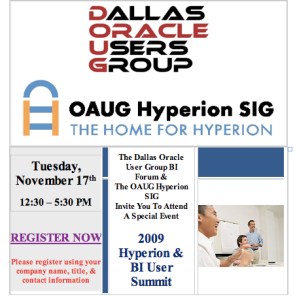
Eric to present at the first ever joint Dallas Hyperion SIG and DOUG BI Summit Meeting

•November 16, 2009 • Leave a Comment

DOAUG

Don’t miss Eric’s presentation:

Under the Covers: An Architectural Breakdown of System 11

Oracle ACE Eric Helmer will break down the internals of the latest Oracle EPM version 11.  This Session will be geared for IT professionals who are considering implementing or upgrading to Oracle EPM version 11 and want more information on it’s inner workings.  Learn the different components of the EPM suite including foundational software and Shared Services.  This session will also cover architecture and data flow, as well as required system administration activities, upgrade considerations, and general installation technique.

Tuesday, November 17, 2009
12:30 P.M. to 5:30 P.M.
Oracle Offices
222 W. Las Colinas Blvd, Urban Tower Conference Room
Irving, TX 75039

The OAUG Hyperion SIG & The Dallas Oracle User’s Group BI Forum are excited to announce the first ever joint user group meeting on Tuesday, November 17th. The meeting will kick off with a special opening keynote by Al Marciante, Oracle Senior Director of Product Management, “Oracle EPM and Hyperion Roadmap for 2010 and Beyond.” This meeting will offer 2 tracks: the Hyperion 11x & BI/EPM Track. Both tracks will offer insightful presentations including New Features in HFM & Planning 11x, The New Hyperion Calc Manager, Best Practices in Financial Consolidations, Oracle OBIEE: Integration & Migration Today & Tomorrow and much more.

Don’t miss your chance to come see the experts share their knowledge on optimizing your current Oracle applications.

OAUG Hyperion SIG to put on Regional “Solutions” Mini-conferences

•October 10, 2009 • Leave a Comment

OAUG Hyperion SIG to put on Regional “Solutions” Mini-conferences

First, let me address Collaborate 2010….

They say that Collaborate next year will have a smaller footprint, and focused on more QUALITY information than quantity.  Either way, we have seen a steady decline on the inclusion of Hyperion/Oracle EPM.

Hyperion session breakout at Collaborate:

2008

Total Presentations:  800

Total Hyperion Presentations: 90-100

Ratio:  12%

2009

Total Presentations:  600

Total Hyperion Presentations: 54

Ratio: 9%

2010

Total Presentations:  400

Total Hyperion Presentations: 25-30

Ratio:  7.5%

Why is this?  What’s going on?

Collaborate is a joint venture between OAUG, Quest, and IOUG, and needs to satisfy the needs of everyone.  As a result, it looks like Collaborate is targeting customers who own or are considering multiple products, such as E-Business, PeopleSoft, Oracle, JD Edwards, etc.  I believe the Hyperion presentations will be more focused on those clients that want to integrate or supplement their strategies and knowledge with Hyperion. Presentations will most likely be focused on best practices, 900 foot views, success stories, challenges, etc.

After the death of the Solutions Conference…. EPM users are caught up in the mix, trying to figure out which conference to attend to get the content they need.  They are finding that OpenWorld does not provide a lot of detailed information, Collaborate lacks a lot of the focus on Hyperion, and Kaleidoscope is too technical and IT focused.  So where do every day users, finance leaders, and accountants go to get the detailed Hyperion content they need?

The OAUG Hyperion/BI SIG have been working with Oracle for that last year to answer this question and has come up with a regional Solutions-like “road-show” concept that is getting a lot of attention.

This is in direct response to the desire to get detailed Hyperion/BI specific content in a down economy that may not allow for expensive long distance trips. So, in essence, the SIGs have brought the content to YOU!  The user cost will be low by having each conference supplemented with vendor sponsorship.

The Plan (for now)

  • There will be 3-4 regional mini-conferences….the first one being targeted for the New York/New Jersey region end of February / early March.
  • Each mini conference will be 2 full days
  • There will be at least 5 concurrent tracks
  • The focus will be on the Finance user, however IT will not be excluded
  • CPE credits will be awarded where appropriate.

The locations have not been defined yet, nor have the details on sponsorship been released yet.  However those details, along with attendance pricing, call for papers process, etc should be released by the end of the year.

Stay tuned to this blog and the OAUG and SIG web sites for more information.